Start exploring Data Integration Lifecycle Management for SSIS with the first public DILM components.
These tools introduce the DILM approach to deployment, control, and lifecycle discipline for enterprise SSIS.
Download DILM Deployment Utility
Why these tools matter
Enterprise SSIS environments often struggle not because SSIS is broken, but because lifecycle management is missing. Data Integration Lifecycle Management, or DILM, addresses that gap with practical tooling focused on governance, deployment confidence, and change control.
The free tools below are the first public components of the broader DILM approach.
Free DILM Tools
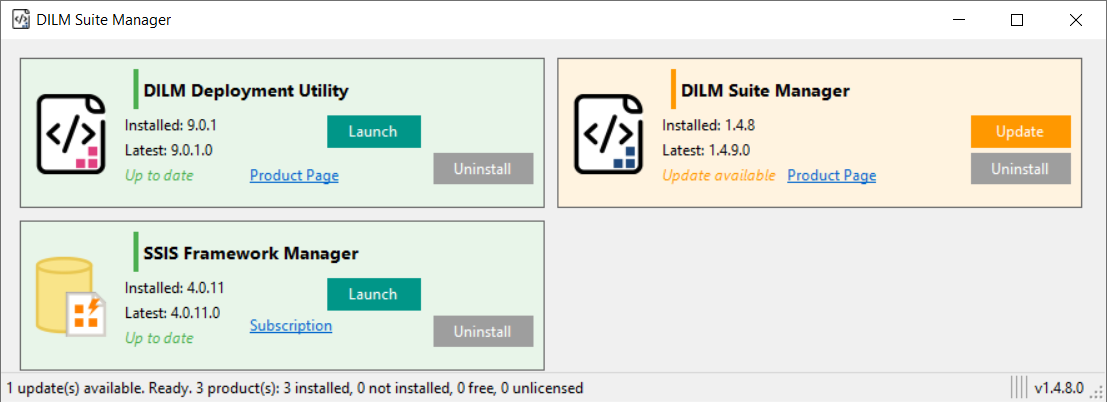
DILM Suite Manager
Central access point for DILM Suite components. DILM Suite Manager provides a simple starting point for working with the DILM Suite.
|
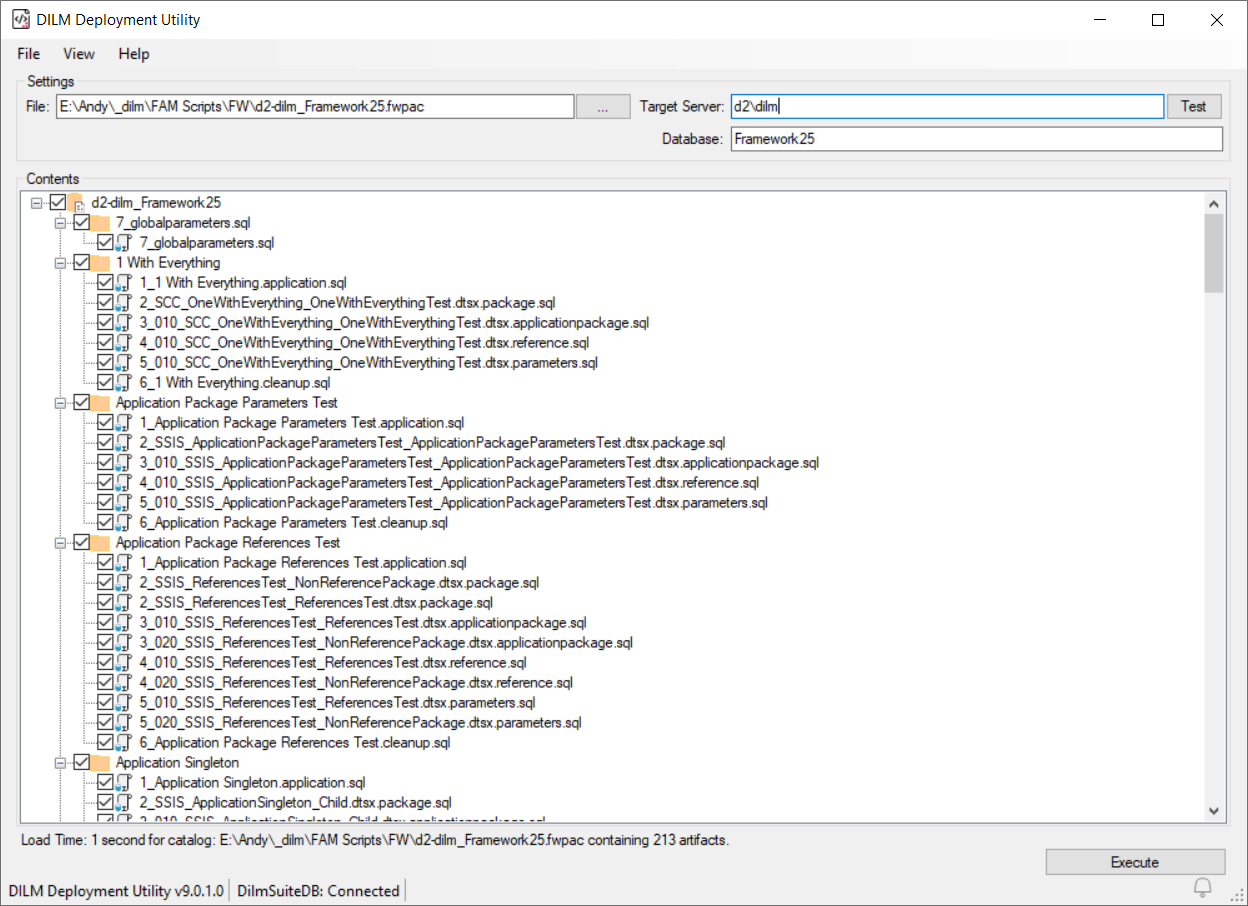
DILM Deployment Utility
Executes deployment packages created by other DILM Suite tools. DILM Deployment Utility supports standardized deployment execution as part of a lifecycle-managed SSIS environment.
|
Fabric Navigator
An information-dense view of a Fabric tenant. Fabric Navigator simplifies navigation between Fabric Data Factory pipelines, notebooks, and Fabric SQL databases.
|
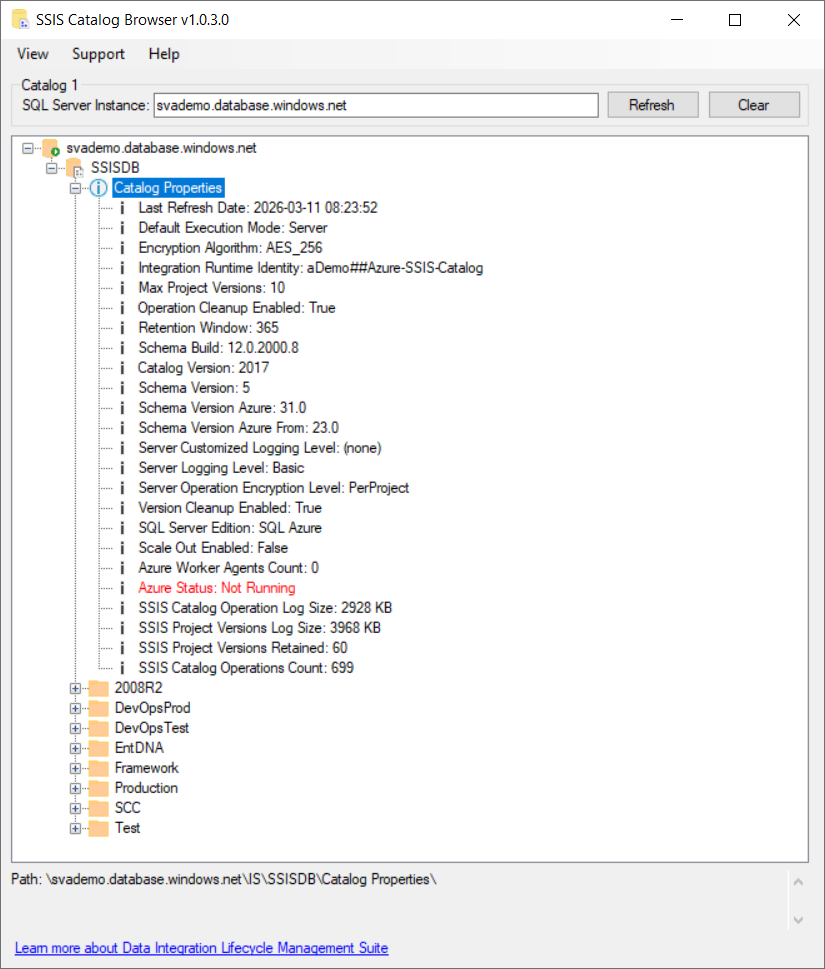
SSIS Catalog Browser
A complete view of the SSIS Catalog. A simple, unified view of the SSIS Catalog for working with the DILM Suite.
|

Which tool should I start with?
Start with DILM Suite Manager if you want the simplest entry point into the DILM Suite.
Download DILM Deployment Utility if you want to explore the deployment side of the DILM approach or if you are already working with deployment packages created by other DILM Suite tools.
Download Fabric Navigator if you want to simplify navigation of Fabric tenant(s).
Download SSIS Catalog Browser to navigate an single, unified view of the SSIS Catalog.
If you are unsure, start with DILM Suite Manager.
How these fit into DILM
The free tools are the first public components of the broader DILM approach to SSIS lifecycle management.
- DILM Suite Manager provides access to DILM components
- DILM Deployment Utility supports deployment execution
- Fabric Navigator surfaces Fabric tenant(s) in an information-dense manner
- SSIS Catalog Browser displays a single, unified view of the SSIS Catalog
- Upcoming commercial tools will extend DILM into deeper lifecycle capabilities such as change visibility, framework support, and enterprise control
DILM is designed to help enterprise teams manage SSIS with more confidence, more visibility, and less friction.
Interested in the commercial DILM tools?
Join the early access list to hear about upcoming DILM releases focused on change visibility, governance, framework support, and lifecycle control for SSIS.
Built for production-minded SSIS teams
DILM is being built by Andy Leonard, a longtime SSIS practitioner, consultant, trainer, and author focused on helping teams manage production data integration with greater confidence and less friction.
Learn more about the DILM approach
These free tools are only part of the story.
SSIS is not the problem. The absence of lifecycle management is.